How to Give Us Access to Your Google Business Profile
This takes about 2 minutes. Just follow the steps below.
What is your Google Business Profile?
Your Google Business Profile is what shows up when people search your business name on Google. It has your hours, photos, reviews, and more. We need Manager access so we can help you get more reviews and keep your profile looking great.
Sign In to Google Business
Open your computer and go to the link below. Sign in with the Google account you use for your business.
- Go to business.google.com
- Sign in with your business Google account
- You should see your business name. If you have more than one listing, click the right one.
Open Business Profile Settings
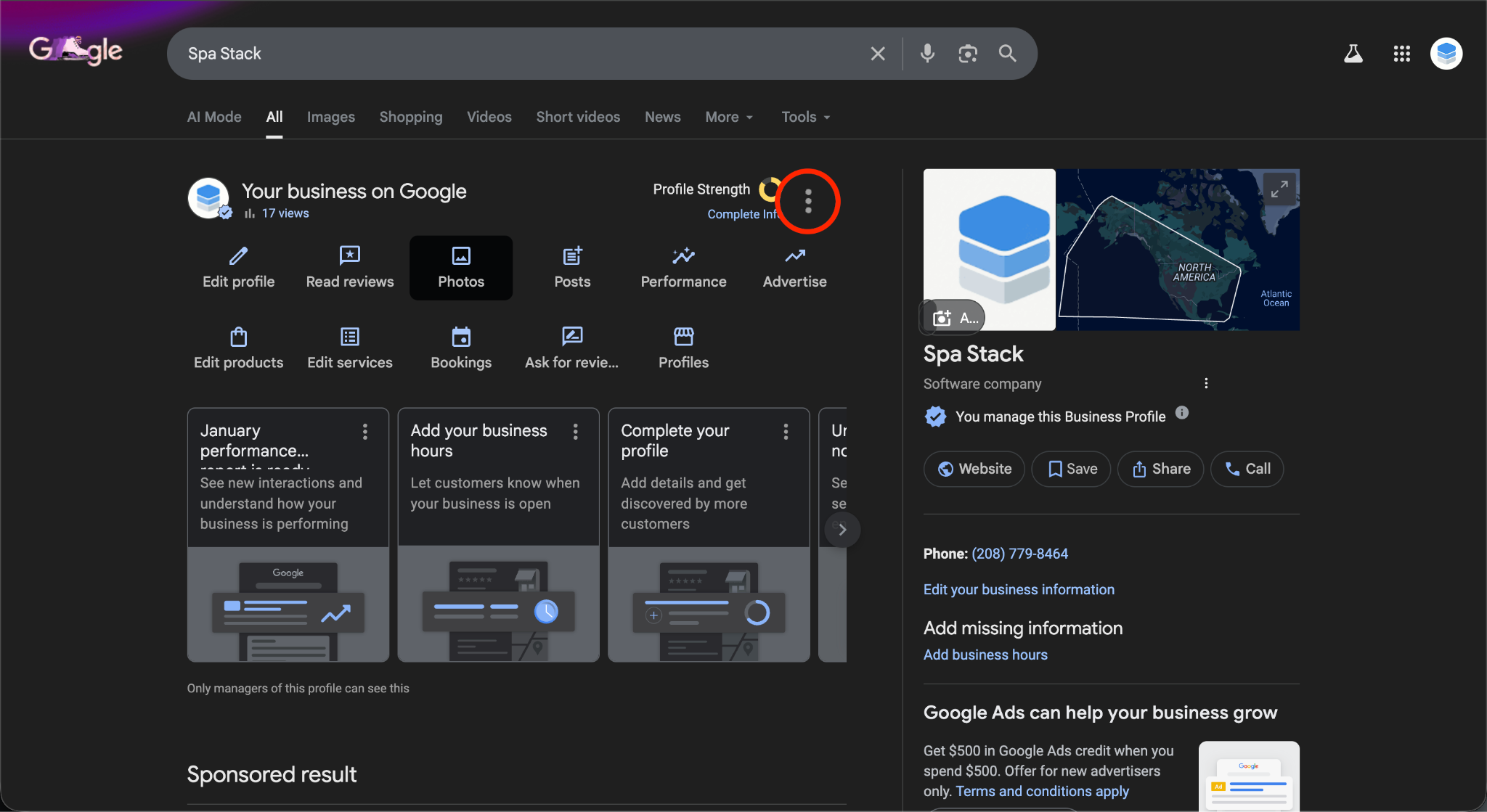
Find the three dots next to your business name and open the settings menu.
- Click the three dots ( ⋮ ) to the right of your business name
- Click Business Profile Settings from the menu that pops up
Go to People and Access
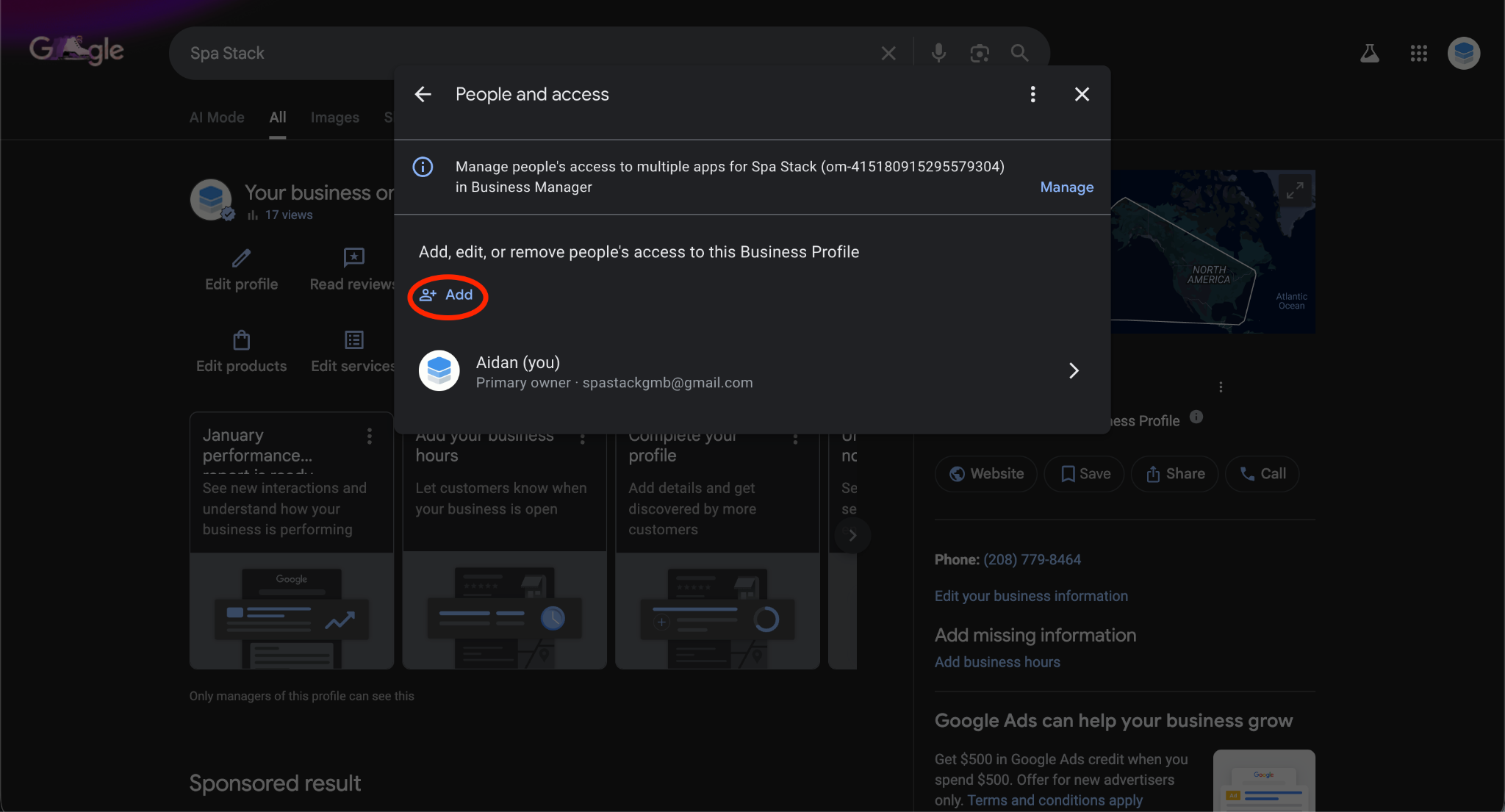
Now you will see the settings page. Click on People and Access.
- Click People and Access
- Click the blue Add button
Invite Us
Type in our email address and set the role to Manager.
- Type in our email: spastackgmb@gmail.com (click to copy)
- Set the role to Manager
- Click Invite
- Let us know you sent it by clicking this button:
I Gave SpaStack Access - Let Them Know
That's It!
You are all done. We will get a notification on our end and take it from there. You do not need to do anything else.
Need Help?
If you get stuck, here is what you can do:
- Send us a screenshot of where you are and we will walk you through it
- Hop on a quick Zoom call and we will do it together
- Call or text us and we will talk you through it
This only takes a couple minutes and you only have to do it once!